Network Connection
Here you will find guides for connecting to the dormitory/school network, Eduroam, VPN, etc. Click on the category to display links/guides.
This involves connecting devices, especially in offices, classrooms, etc.
Submit a request for connecting a device to the university network through the Helpdesk. Provide the following details:
- Name of the department/facility that will use the device.
- Name of the person responsible for the device.
- Type of device (PC, laptop, network printer, etc.)
- Building and room designation.
- Identification of the network socket to which the device should be connected.
- Physical address of the network card (MAC address).
In the case of relocation, also specify the new location and the original location of the computer. Indicate whether another device will be connected to the original socket or if it can be disconnected.
- General information for connection
- Guides for Google Chrome
- Guides for Mozilla Firefox
- Guides for Microsoft Edge (in preparation)
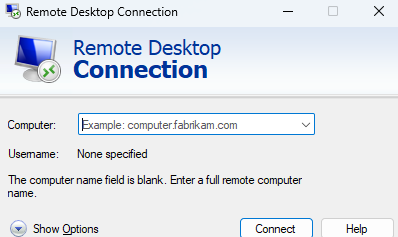
For connecting to your work PC or school PC, you can use the free Windows 10 application: Remote Desktop Connection.
This service provides wireless internet access for visitors and commercial companies without eduroam access – typically for short-term events such as conferences, workshops, or guest lectures.
How to get access?
The Wi-Fi network mendelu-host is designated for these purposes.
-
Please request access ideally at least 2 days in advance:
- University members: by submitting a request via helpdesk.
- External guests: via email at internet@mendelu.cz (please specify the exact location – building, floor, or lecture hall).
- We will then send you the login credentials.